How to make a highlights video of your event, with photos and music, in minutes
By Marcelo Amantino · published October 28, 2026 · 3 min read · who we are

The event is over, your phone gallery is full and everyone asks: “where’s the video?”. Putting together a photo video is usually the part nobody wants to do, because it takes an editor, time to drag photo after photo and patience to fit each change to the music. There is another way: you provide the photos and the music, and the program builds the video.
Add, click, choose, export
WebFaz Slideshow follows exactly that order, with no learning curve:
- Add the event photos (short videos work too) and one or more songs.
- Click the style that fits the occasion: Classic, Dynamic or Birthday.
- Choose the video format: horizontal for TV and computer, vertical for Reels, Stories and Shorts, or square.
- Export and download the MP4. Your video is ready to share.
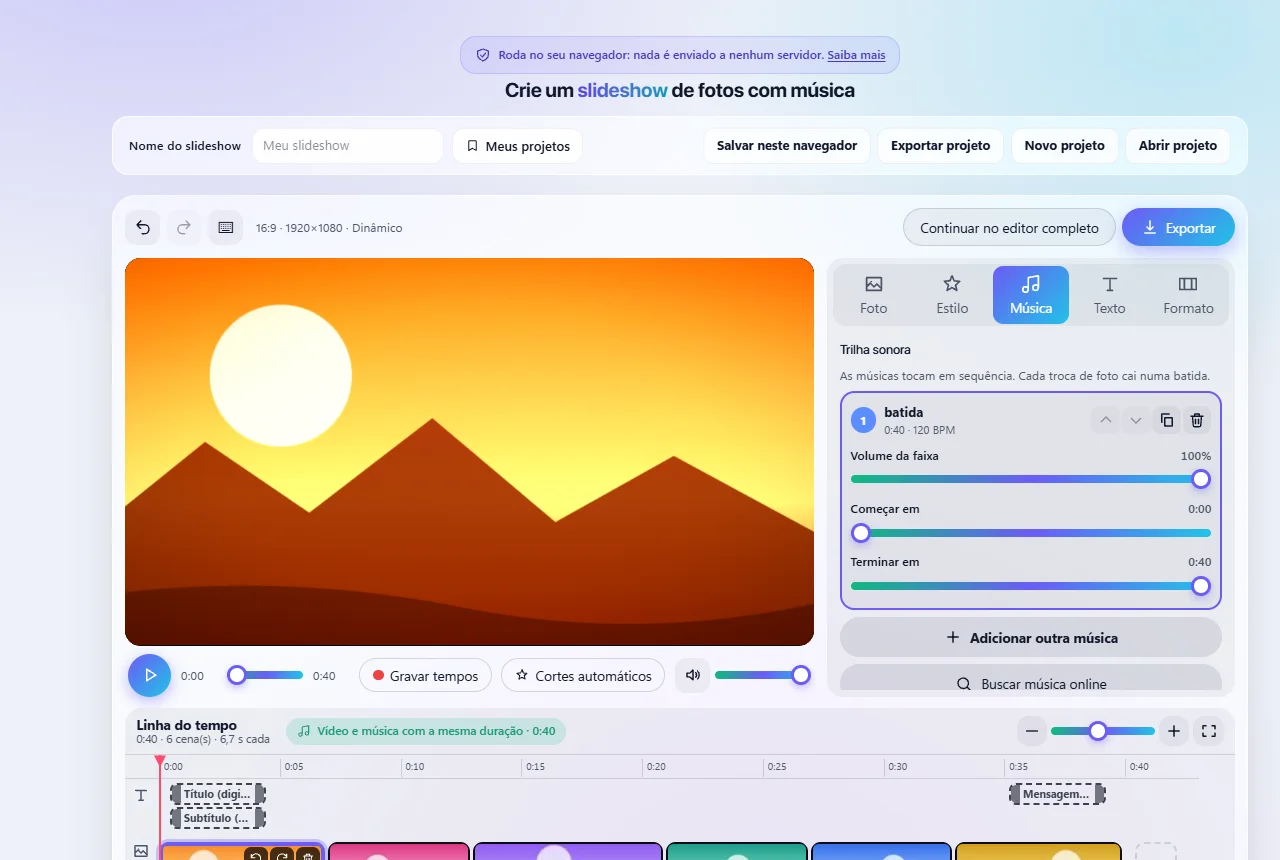
Why it is fast: the program handles the boring part
What takes time in a photo video is matching the length of each image to the music. Here the program analyzes the rhythm of the track and spreads the photos across its length, so each change lands on a beat. It never alters your music: it is the timing of the photos that adjusts.
If you have too many photos for the length of the song, they can be grouped into collages only where time runs short, instead of flying by. And if you prefer to mark the rhythm yourself, you can tap along to the beat while the music plays.
A style for each kind of event
- Classic: calm pace and smooth camera movement, good for weddings, graduations and tributes.
- Dynamic: faster cuts, designed for short social media content.
- Birthday: polaroid frame, confetti and hearts, for more relaxed parties.
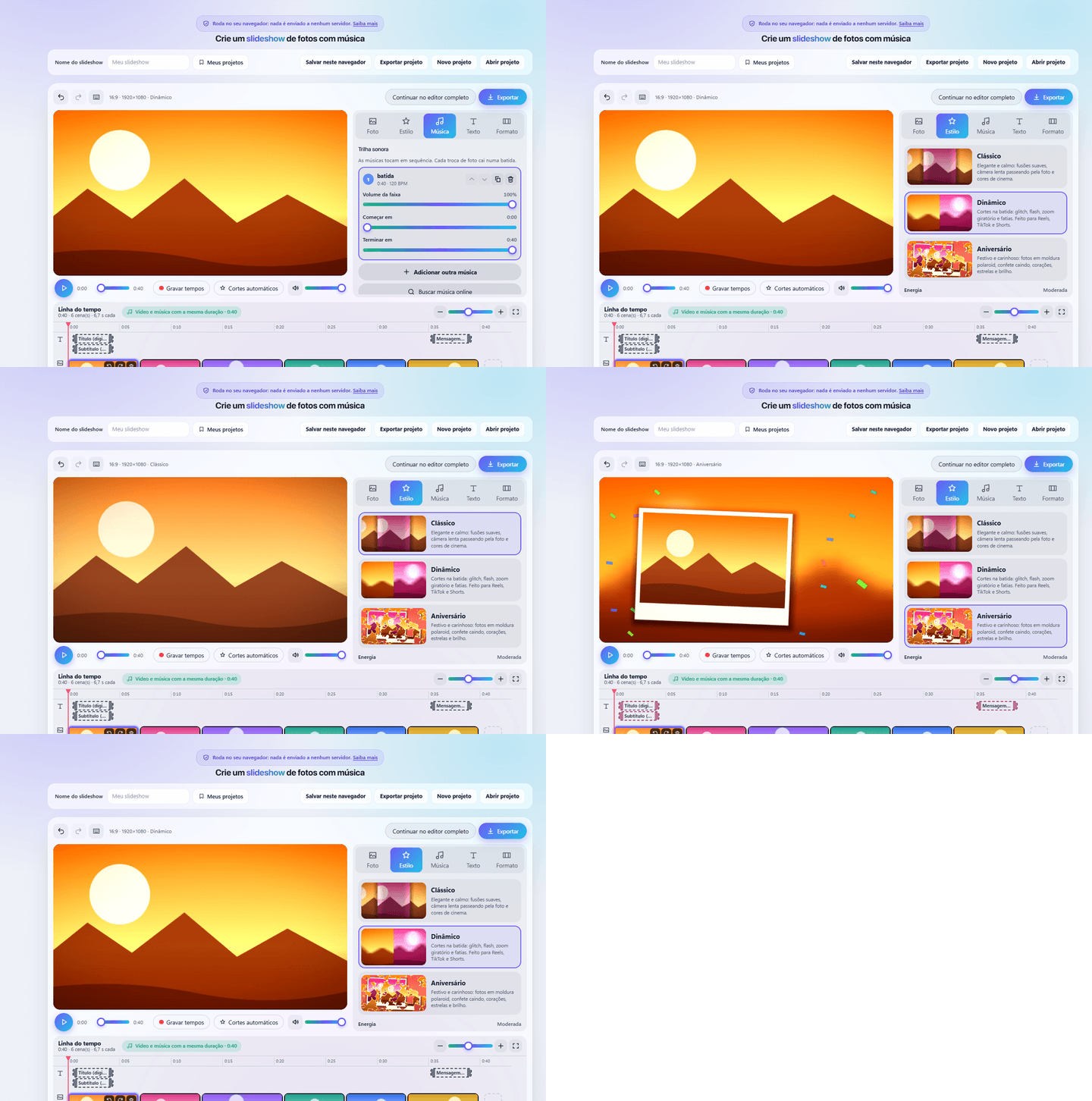
Title, closing message and a personal touch
An event video is better with an introduction: the name of the party at the start and a thank-you message at the end. Slideshow has animated text templates that you drag right on the video, and each photo can have its own caption. If you later want finer finishing, such as precise cuts or several layers, you can continue the same project in the Video Editor.
Privacy: the event photos stay with you
Party photos have people in them, often children, and not everyone wants their image on an unknown server. Here the photos and songs are read and the video is built on your own device, with no upload. To understand this principle better, read why processing files in the browser is more private.
Limits worth knowing
- Because the video is built on your device, many high-resolution photos make the export slower, and phones with little memory may fail. If that happens, export at a lower resolution (720p is usually enough for sharing).
- The output is MP4. To send it by WhatsApp or email, see how to reduce the size of a video.
- Music is protected by copyright. The search for free music is optional, but check the license before publishing the video on a public profile or using it commercially.
- The project is saved in this browser. To keep a copy or take it to another device, export the project.
How to share the video with your guests
With the file ready, it is time to show it. To move it from computer to phone (or the other way) with no cable and no loss of quality, use WebFaz Drop. And if the photos are going to be published, remember to remove their location first.
Tools mentioned in this article
Keep reading
- Why processing files in the browser is more private (and what that does not guarantee)
- Is your photo giving away where you live? How to remove location (GPS) from photos, PDFs and Office files
- How to reduce the size of a PDF and a video to send by email
- WhatsApp voice message or recorded meeting: how to turn it into text in minutes (and what not to send to AI)
- PNG, JPEG or WebP: which image format to use in each situation
- How to create a Pix QR Code and test it before printing
- MP3, WAV or FLAC: which audio format to choose
- What OCR is and how to improve accuracy when reading a photo of a document
- Countdown for a launch or live stream: how to build one and take people to the link at the right moment
- The Pomodoro technique: how to use focus and break cycles without getting tangled up
- Scanned an object with your iPhone and can’t print it? How to convert USDZ to STL
- iPhone photo won’t open on Windows? How to convert HEIC to JPG without uploading your photos
- PDF turned into a mess in Word? Why it happens and how to convert with less rework
- How to record your computer screen for free, with no watermark, nothing to install and your camera in the corner
- Subtitles early, late or in the wrong format? How to fix, convert and translate SRT, VTT and ASS
- How to calculate hours worked, overtime and time bank without errors (8h30 is not 8.3 hours)
- Is your text readable for everyone? How to check color contrast (WCAG) and convert HEX, RGB and HSL
- How to extract images from a PDF, Word, PowerPoint or Excel file without losing quality
- How to send files from iPhone to Android, Windows or Mac with no cable and no sign-up