How to convert text to binary, calculate SHA-256 hashes and convert timestamps
Studying how a text becomes binary, checking a file’s integrity with a hash or finding out the date of a Unix timestamp are quick technical tasks. This guide shows the tool’s five tabs and how to interpret each result.
Guide written by Marcelo Amantino · updated on October 19, 2026 · about us
Where your data is processed
This tool runs entirely in your browser: your files and data are not sent to any WebFaz server.
The calculations happen in your browser, and the text you type is not sent to WebFaz. Even so, to be safe, do not paste real passwords into any website.
See the full list on the Privacy page.
Real-world use cases
Convert text to binary and between number bases
Situation: You want to understand, or teach, how a computer represents a text or a number.
- On the “Binary Code” tab, type the text in the “Plain text” field: the binary code appears next to it in real time (and vice versa).
- Use “Copy Text” or “Copy Binary” to take the result with you.
- On the “Number Bases” tab, convert a number between decimal, binary, octal and hexadecimal.
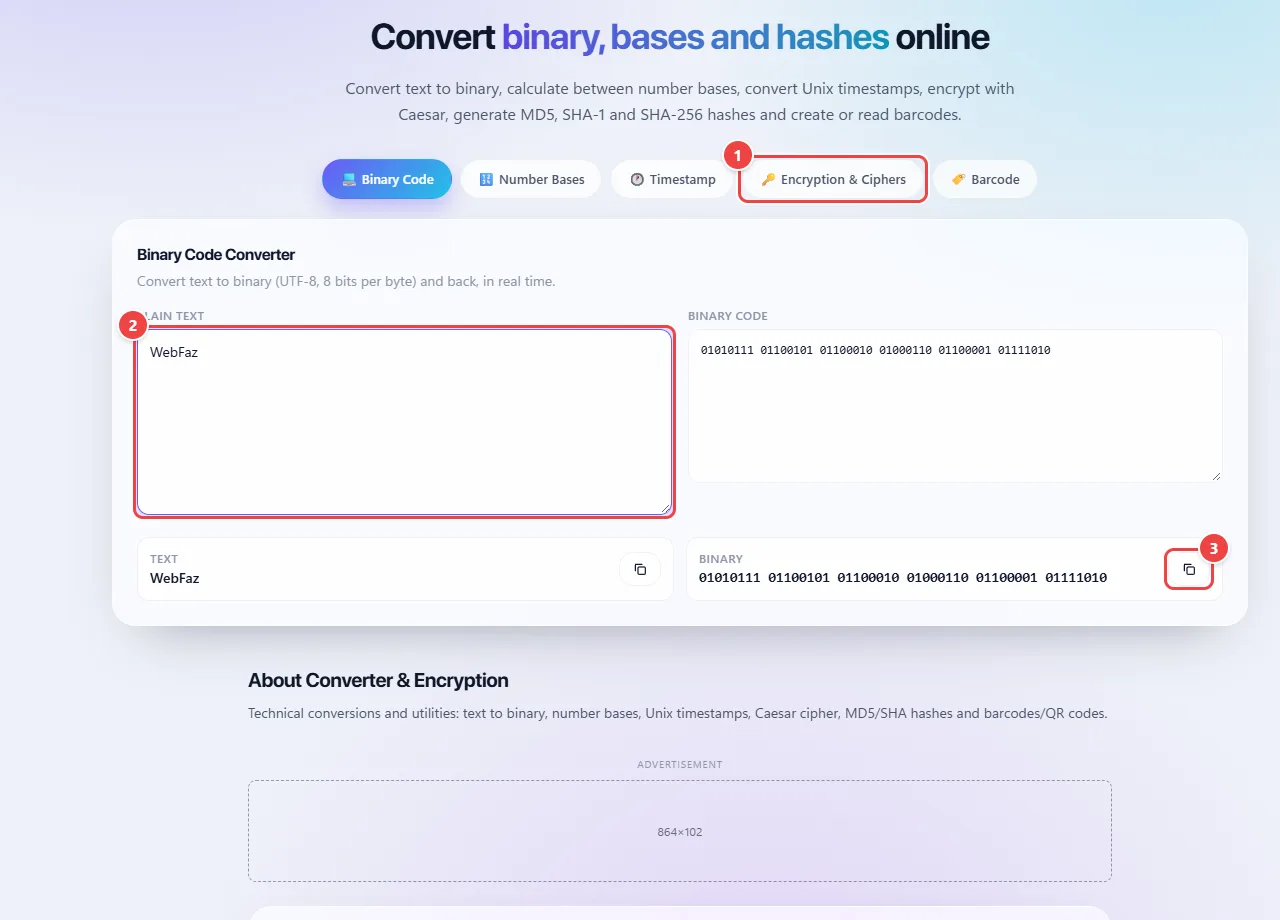
- Point 1: Choose the conversion: binary, number bases, Unix timestamp, ciphers and hashes, or barcode.
- Point 2: Type the text: the conversion happens in real time, in the browser.
- Point 3: Copy the result.
Result: The conversion right away, in both directions, without pressing any process button.
Check integrity with a hash
Situation: The manufacturer publishes the SHA-256 hash of some content and you want to check whether yours is identical.
- Open the “Encryption & Ciphers” tab and paste the content.
- Look at the SHA-256 result in the hash card (use SHA-256 or better for integrity).
- Compare the result, character by character, with the published value: any difference means different content.
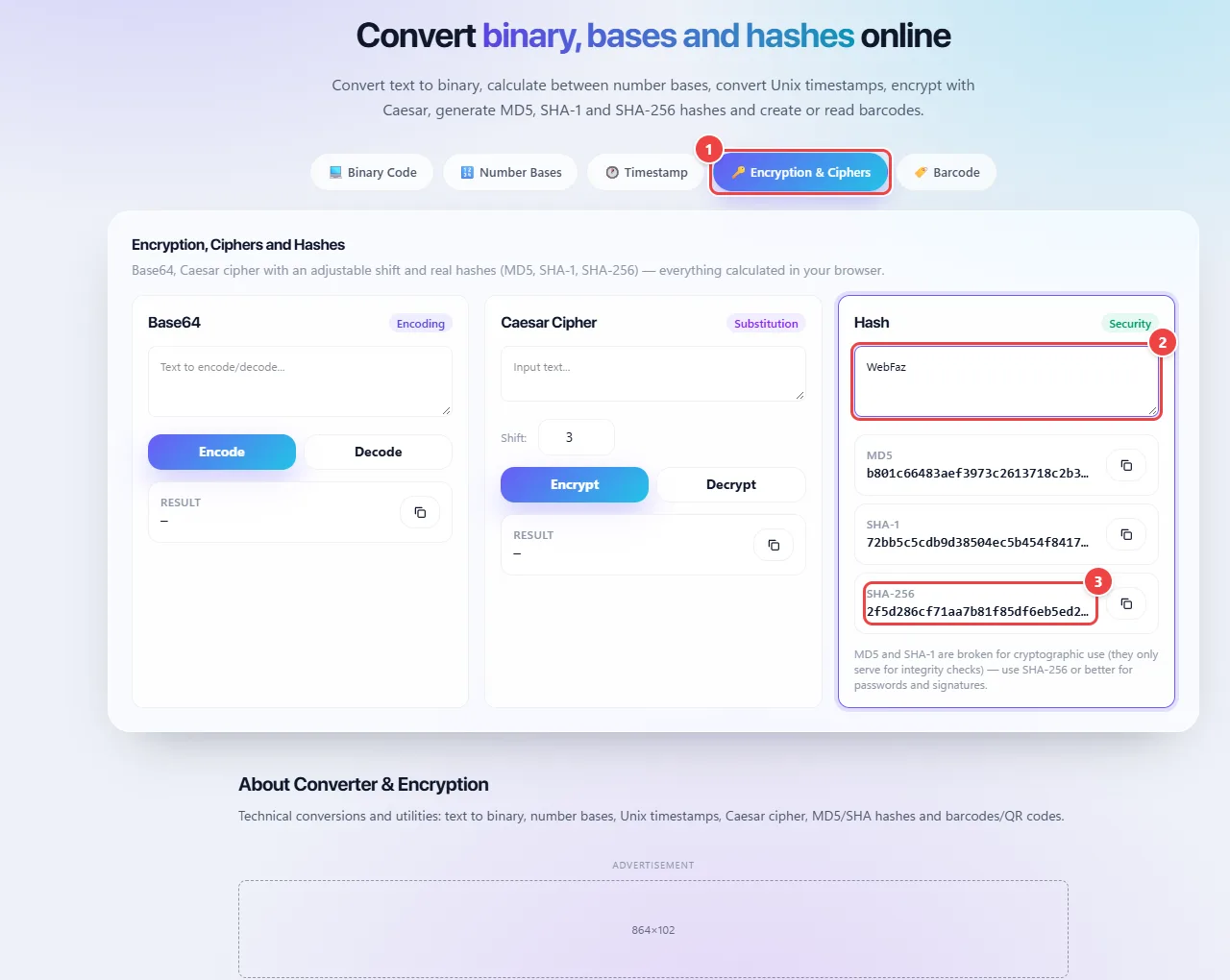
- Point 1: Open the Encryption & Ciphers tab and paste the content.
- Point 2: Paste the content into the Hash card: the app calculates MD5, SHA-1 and SHA-256 at the same time, in the browser.
- Point 3: Use SHA-256 to check integrity and compare, character by character, with the published value: any difference indicates different content. MD5 and SHA-1 are only for simple checks.
Result: Confirmation that the content is, or is not, the same.
Convert a Unix timestamp and generate a barcode
Situation: You are reading a log and need the date of a number such as 1760000000.
- On the “Timestamp” tab, paste the number and see the corresponding date and time. A 10-digit timestamp is usually in seconds; a 13-digit one, in milliseconds.
- On the “Barcode” tab, type a text to generate the matching barcode.
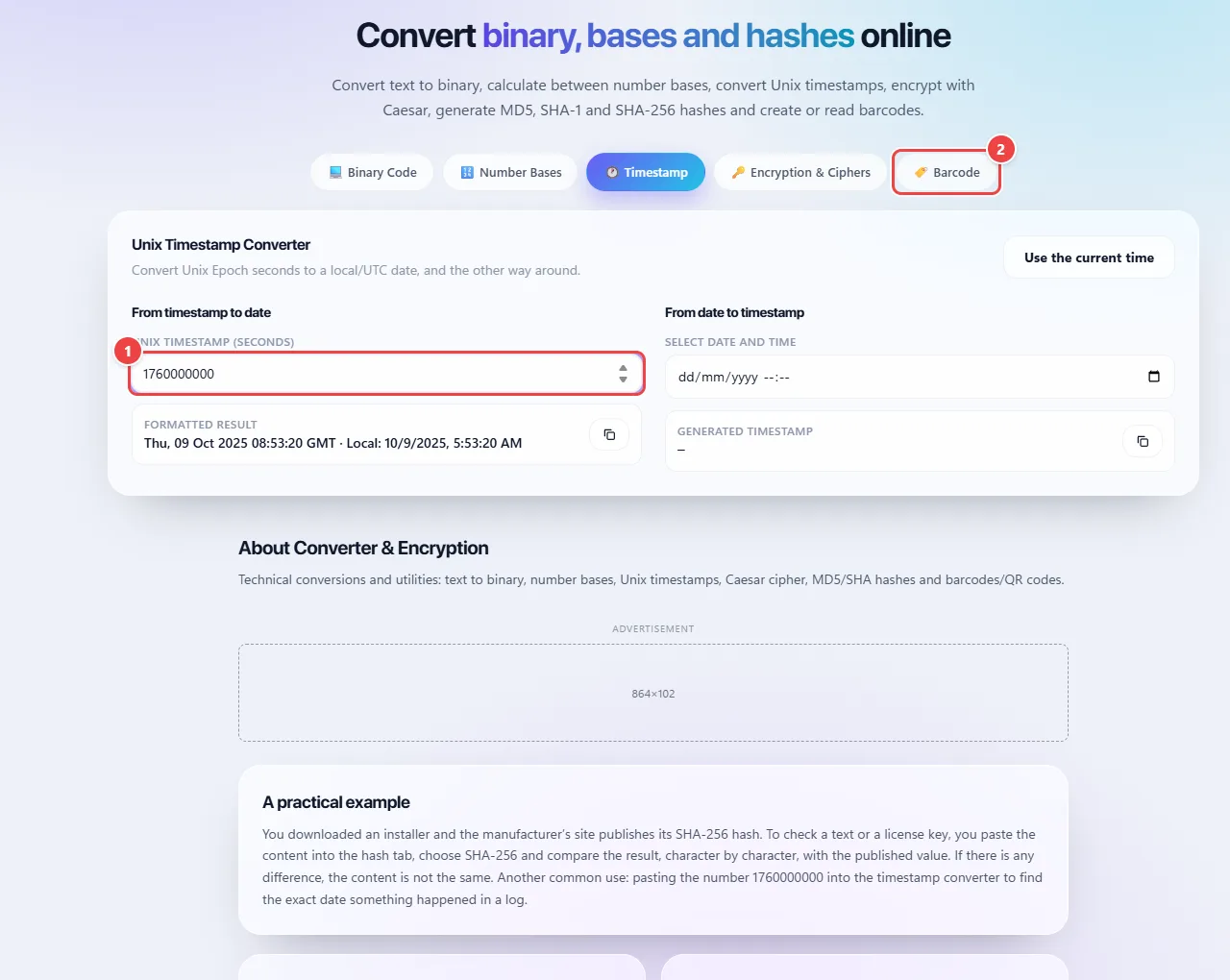
- Point 1: Paste the number (in seconds) and see the date and time beside it. With 13 digits, the value is usually in milliseconds: divide by a thousand. You can also convert the other way.
- Point 2: In Barcode, type a text to generate the matching barcode or QR Code.
Result: The readable date of the timestamp and a barcode ready to use.
Tips for a better result
- To check integrity, compare the hash character by character with the reference value.
- Use SHA-256 or better for integrity; MD5 and SHA-1 are here for compatibility with old systems.
- The Caesar cipher serves to teach the concept of a cipher, not to protect information.
Limits, and when this is not the best option
- MD5 and SHA-1 are not safe for protecting passwords, and plain hashes do not replace dedicated password-storage algorithms.
- The Caesar cipher is educational and offers no real security.
- A hash is one-way: there is no way to undo it.
Frequently asked questions
- What is the difference between a hash and encryption?
- Encryption can be undone by whoever has the key. A hash is a one-way fingerprint: it is for checking whether something has changed, not for storing content and recovering it later.
- Can I paste passwords here?
- The calculation runs in the browser and nothing is sent, but avoid pasting real passwords into any website.
- What is SHA-256?
- A hash algorithm that produces a 256-bit fingerprint (64 hexadecimal characters) of any content, used to check file integrity.
- Why does MD5 still show up?
- It is still used in simple checks and legacy systems, but it is not safe against attacks.