Accuracy first
Backspace corrects
Correct with Backspace. Corrected mistakes still count toward accuracy, but the corrected text counts toward speed.
Your tests and your history stay only in this browser; nothing is sent. Learn more
Test your speed or practice at your level. A little every day makes a difference.
Click the text and start typing. The time starts on the first key.
Backspace corrects
Correct with Backspace. Corrected mistakes still count toward accuracy, but the corrected text counts toward speed.
Beginner → Advanced
Start with simple words. Then move on to capitals, numbers and punctuation.
WPM · accuracy · CPM
WPM uses the standard of 5 correct characters per word. The clock keeps running if you switch tabs.
Measures and trains your typing speed in words per minute (WPM), with accuracy and a history of your progress.
You take a 1-minute test at the intermediate level and get 42 WPM with 94% accuracy. Instead of trying to type faster, you spend two weeks practicing with attention to accuracy. On the next test, your speed rises to 51 WPM with 98% accuracy, and the history shows the curve of your progress.
Os pontos de clique estão numerados. Toque na imagem para vê-la em tamanho original. As demais telas, passo a passo, estão no guia “Como funciona”.
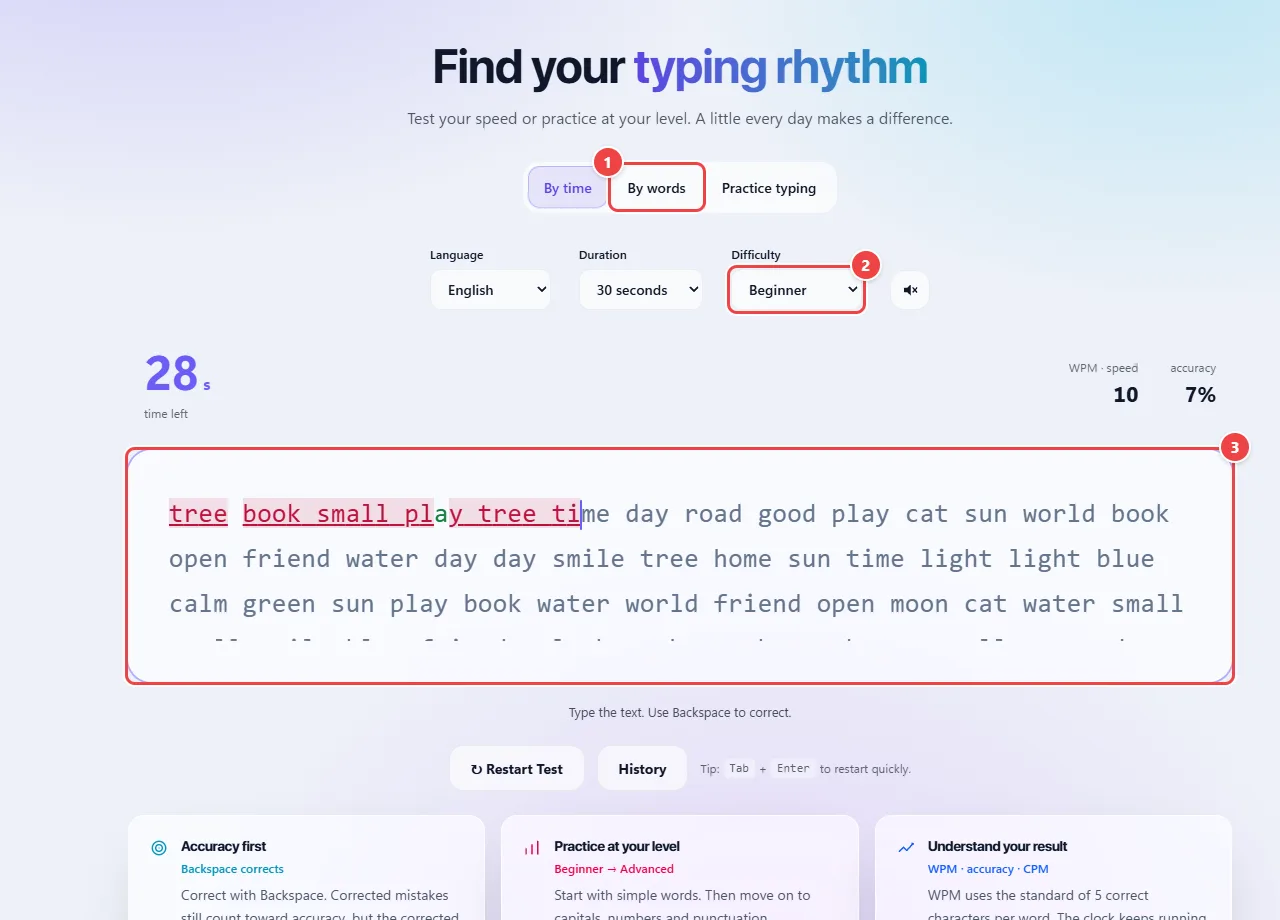
Speed in WPM (words per minute) follows the standard of typing tests: every 5 correct characters count as one word, regardless of the real length of the words in the text. That lets you compare results across different texts.
Accuracy is the proportion of characters typed correctly. Mistakes reduce the net result, because only what is right goes into the count.
The history is stored in the browser, on this device: it is not sent to WebFaz and can be erased by clearing the site’s data.
Read the full guide: real-world use cases, tips and limits →
Privacy: This tool runs entirely in your browser: your files and data are not sent to any WebFaz server. Learn more.