How to calculate percentages, interest and selling prices online
You do not need a spreadsheet for everyday money math. This guide shows how to use the four calculators: percentage and discount, simple interest, compound interest with monthly deposits, and the selling price from a markup.
Guide written by Marcelo Amantino · updated on October 20, 2026 · about us
Where your data is processed
This tool runs entirely in your browser: your files and data are not sent to any WebFaz server.
All calculations are done in your browser. The values you type are not sent to WebFaz.
See the full list on the Privacy page.
Real-world use cases
Apply a discount or an increase
Situation: A product costs $1,000 and you want to know the price with a 10% discount.
- In the Percentage card, go to “Increase / discount %”.
- Type the starting value (1000) and the rate (10).
- Click “Discount” (or “Increase”).
- Read the final value and copy it with the copy button.
Result: The final price, ready to copy.
Compare simple and compound interest
Situation: You want to see how $1,000 grows at 2.5% a month over 12 months.
- In Simple interest, type the capital, the monthly rate and the number of months.
- Read the total interest and the final amount.
- In Compound interest, type the same capital and rate, a monthly deposit if you have one, and the number of months.
- Compare the two final amounts.
Result: A clear view of how compounding makes the amount grow faster.
Set the selling price of a product
Situation: Your cost is $50 and you want a 40% markup.
- In the Pricing (markup) card, type the cost (50).
- Type the markup over cost (40).
- Read the gross profit and the suggested selling price.
- If you think in margin on the price, remember that a 40% margin needs a markup of about 66.7%.
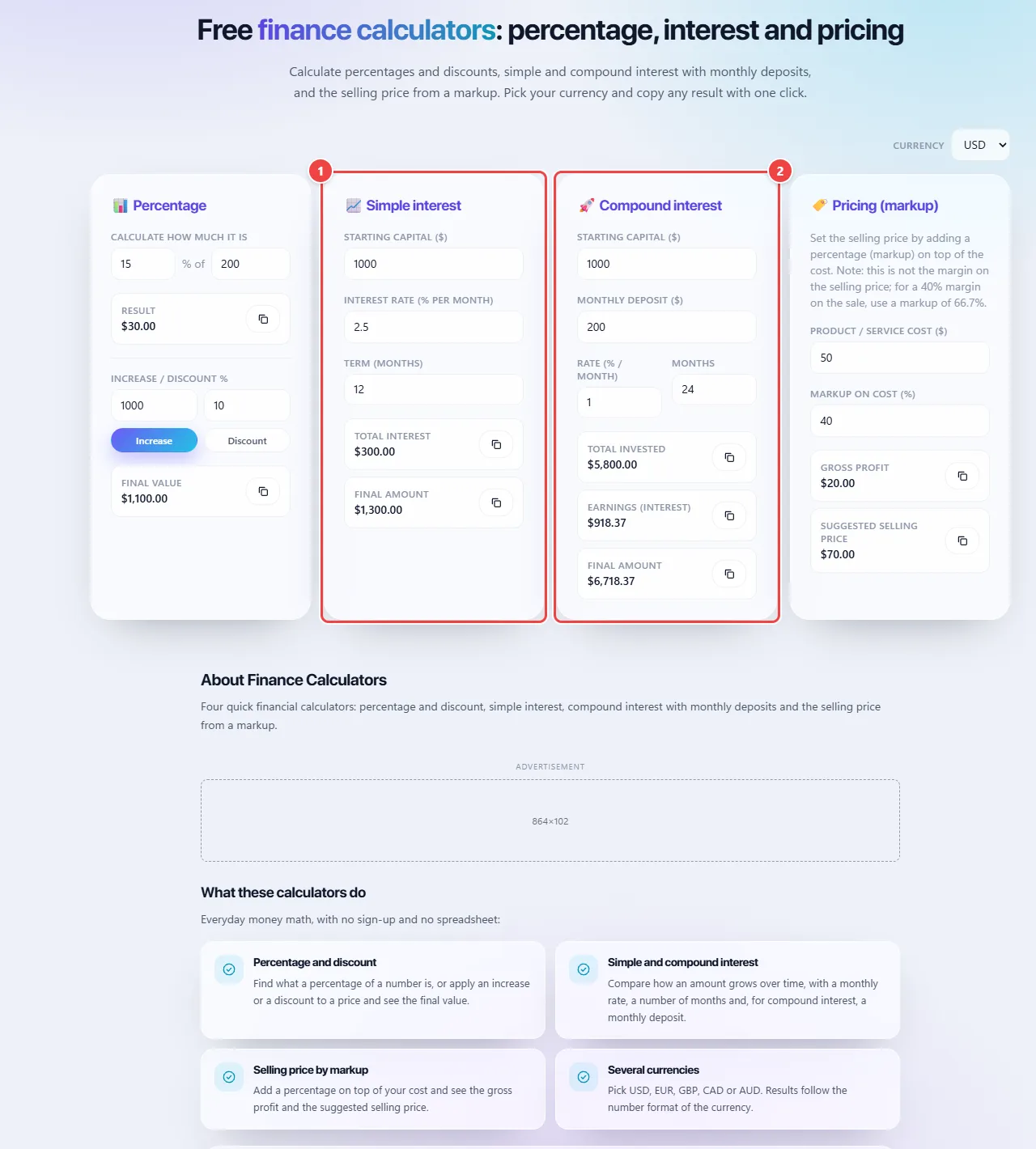
- Point 1: Simple interest applies only to the initial amount: enter capital, rate and term.
- Point 2: Compound interest applies to the amount already increased, with an optional monthly deposit. Compare the two results.
Result: A selling price that covers the cost and the profit you chose.
Tips for a better result
- Include every cost before applying a markup.
- Convert annual rates to monthly before typing them.
- Use the currency selector so the symbol matches your case.
Limits, and when this is not the best option
- The interest calculations are simplified and do not include taxes, fees or the rules of a specific loan.
- Results are estimates and not financial advice.
- Nothing is saved: the values reset when you reload the page.
Frequently asked questions
- Is my data saved?
- No. The values stay in your browser and are not stored by WebFaz.
- What is the difference between simple and compound interest?
- Simple interest always applies to the initial amount. Compound interest applies to the amount already increased by earlier interest, so it grows faster.
- What is the difference between markup and margin?
- Markup is added on top of the cost; margin is the share of the price that is profit. A 40% margin needs a markup of about 66.7%.