See your IP, DNS, ports and speed
Find your public IP, locate an IP or domain, look up DNS records, test open ports and measure the real speed of your internet.
Your public IP address
These are the details of how you currently appear on the public internet.
Could not detect your IP right now. Try again in a moment.
Need to check another address?
Use the IP Lookup / Whois tab to look up any IP or domain.
About Network & Infrastructure
Gathers network diagnostics: your public IP, IP/domain location, DNS lookup, port test and internet speed.
A practical example
Your shop’s website does not open for some customers. You query the domain’s DNS and confirm the address points to the right server. Then you test whether port 443 is reachable and measure your connection speed to rule out a problem on your side.
How to use it
- Choose the diagnostic.
- Enter the IP, domain or port, if needed.
- Run it and read the result.
Limits and cautions
- IP location is approximate and usually points to the provider’s city.
- Test ports only on machines that are yours or that you are authorized to test.
A ferramenta em uma imagem
Os pontos de clique estão numerados. Toque na imagem para vê-la em tamanho original. As demais telas, passo a passo, estão no guia “Como funciona”.
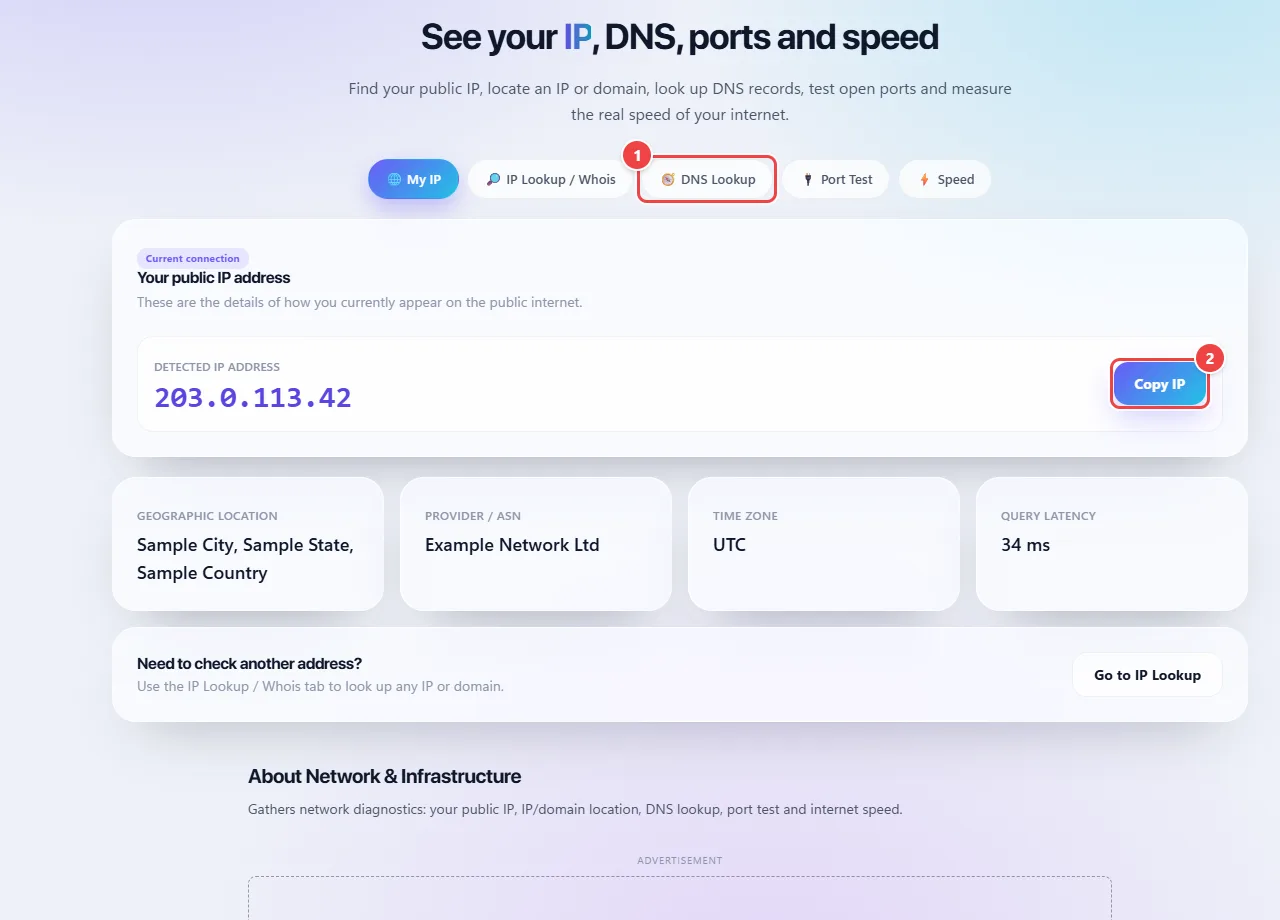
- Point 1: Choose the tool: your IP, location and Whois of an IP or domain, DNS records, port test or speed.
- Point 2: Copy your public IP with one click. To measure the connection, this app talks to network servers.
When to use it
- Finding your public IP to set up remote access, a firewall or an allowlist.
- Checking whether a port on your server or router is open after setting up a new service.
- Querying a domain’s DNS records after changing hosting or email.
- Measuring your real internet speed at different times of day.
Tips
- To measure speed, use a cable (or stay near the router) and pause downloads and other devices on the network.
- DNS changes can take from minutes to hours to take effect everywhere; this is called propagation.
- If a port shows as closed even with the service running, check the firewall and the router’s port forwarding.
What happens in your browser
Your public IP is the address through which the internet sees your connection. It is found by querying an external service, because the browser does not know the address outside your local network.
A DNS query asks public servers which address matches a domain and which records it has (such as email and others). The port test checks whether a service answers on a given port of an address. These checks require talking to network servers, as happens on any website; the page says so and WebFaz does not save what you query.
IP location is approximate: it usually indicates the carrier’s city, not your home. The measured speed varies with the moment, the Wi-Fi and the distance to the test server.
Read the full guide: real-world use cases, tips and limits →
Privacy: Seeing your public IP, querying DNS, testing ports or measuring internet speed requires, by definition, talking to a server — the same would happen on any website you visit. It receives no file upload and no personal data typed in; it only exchanges network packets to measure what was requested, without saving anything. Learn more.
Perguntas frequentes
- Why does the speed vary?
- It depends on Wi-Fi, time of day, the test server and use of the network by other devices.