How to draw numbers, names from a list and use the wheel online
To pick the winner of a prize, decide the order of presentations or generate numbers for a game, all you need is a tool that draws without apparent bias and shows the result to everyone. This guide covers the number draw, the name draw, the wheel and the lottery picks.
Guide written by Marcelo Amantino · updated on October 19, 2026 · about us
Where your data is processed
This tool runs entirely in your browser: your files and data are not sent to any WebFaz server.
The draw happens in your browser, using its own random number generator. The participant list is not sent to any server.
See the full list on the Privacy page.
Real-world use cases
Draw numbers without repeats
Situation: You need three numbers between 1 and 100 for an activity.
- On the “Numbers” tab, enter the amount, the minimum and the maximum number.
- Choose the result order (draw order or ascending). By default numbers do not repeat; check “Allow repeated numbers” if you want them to.
- Click “Run the draw”: the result appears next to it and stays in the “Draw history”.
- Use “Copy” to take the result with you.
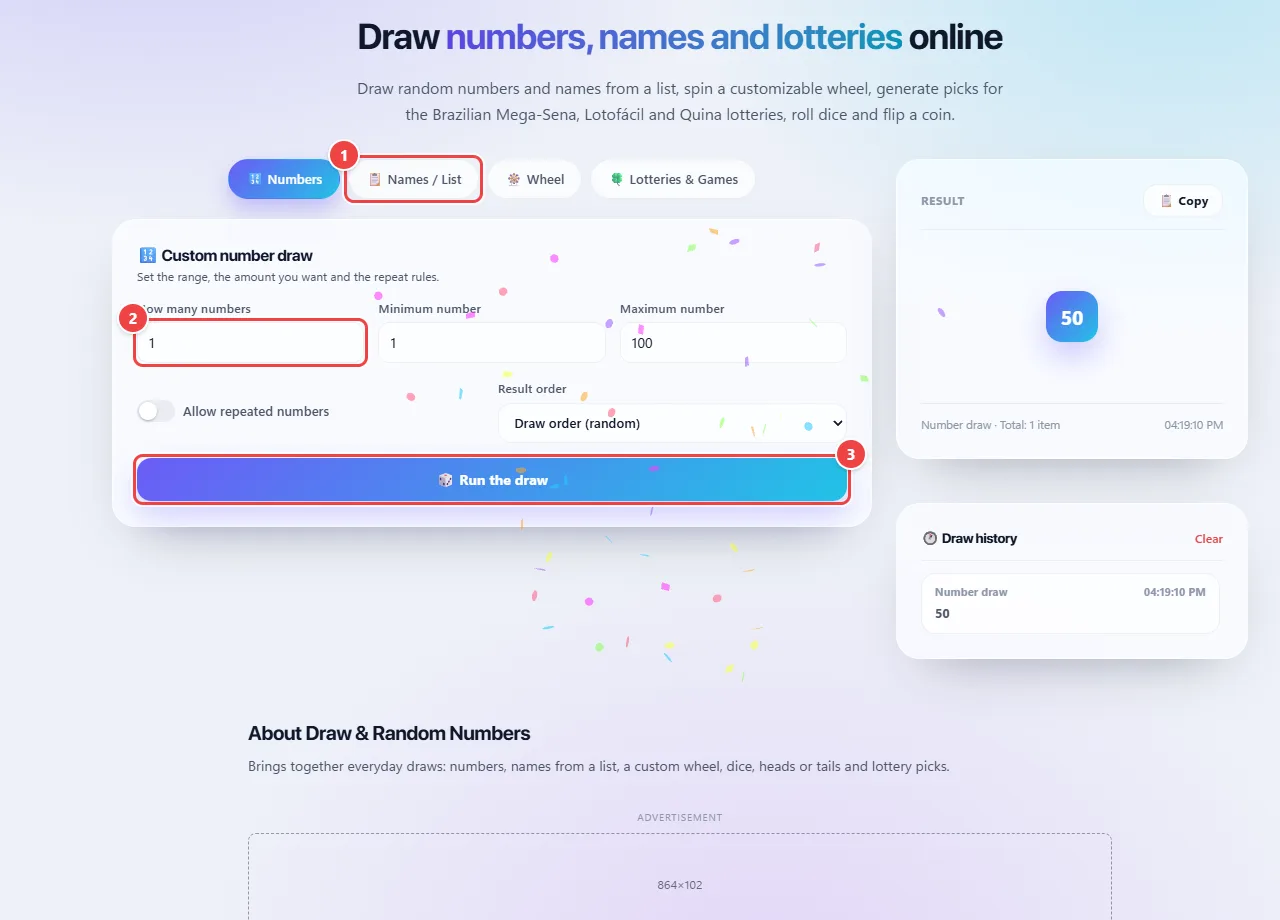
- Point 1: Choose the type of draw: numbers, names from a list, wheel or lotteries and games.
- Point 2: Set how many numbers to draw and the range (minimum and maximum).
- Point 3: Draw: the result appears beside it and stays in the history.
Result: The drawn numbers, ready to copy, and a record in the history.
Draw names from a list (livestream prizes)
Situation: You are going to draw three prizes among 40 participants.
- Open the “Names / List” tab and paste the names, one per line. Review them first: repeated names or blank lines change the odds.
- Set how many names to draw and use the option that avoids repeats.
- Show the screen to the viewers and click to draw. If someone does not show up, draw another: the names that already came out stay out.
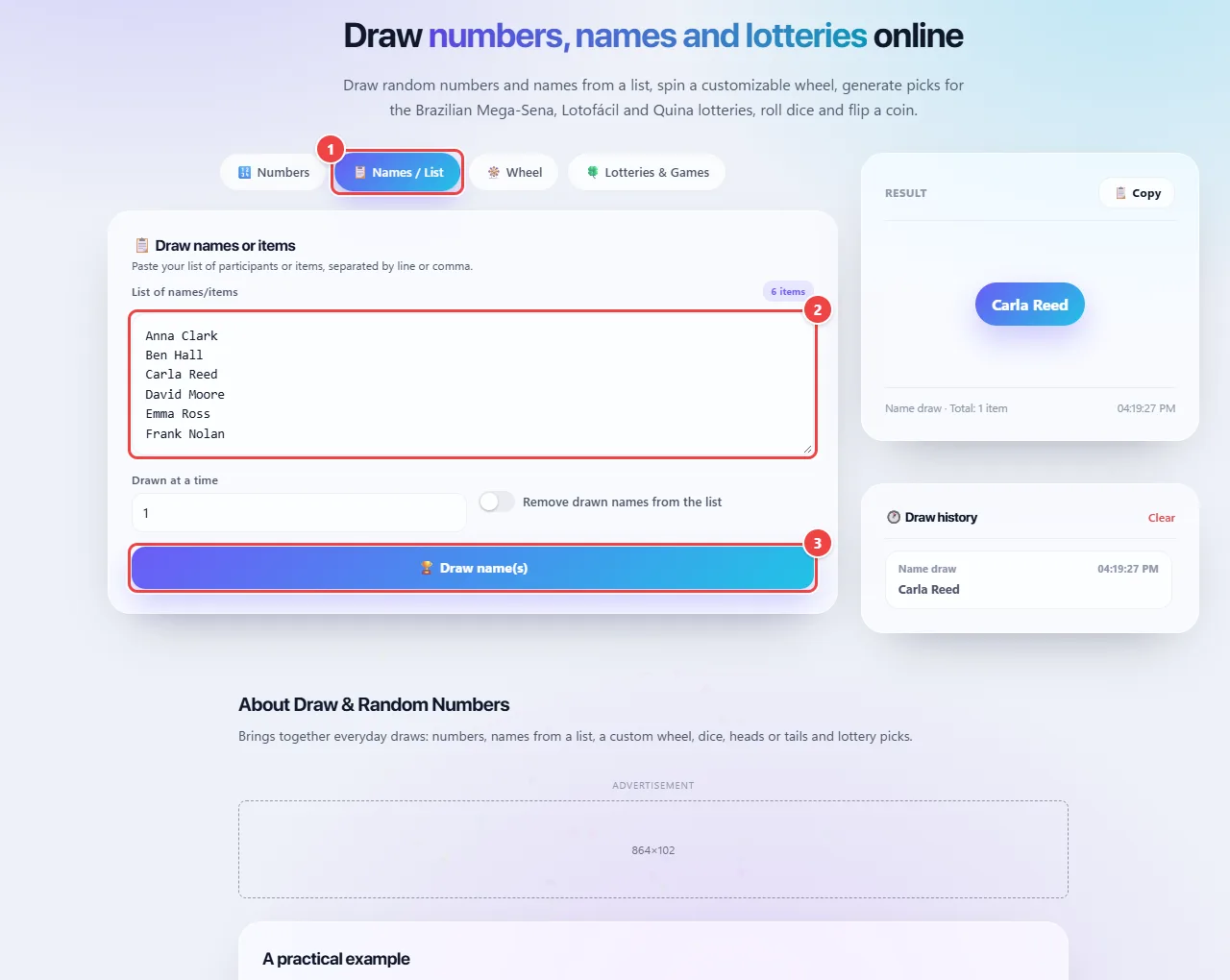
- Point 1: Open the Names / List tab.
- Point 2: Paste the names, one per line. Review first: repeated names or blank lines change the odds.
- Point 3: Set how many names to draw at a time and, if you want, remove the drawn ones from the list. Show the screen to the participants and click Draw name(s).
Result: The winners chosen in front of everyone.
Use the wheel and the games
Situation: You want a decision with more fun: who pays the bill, which movie to watch.
- On the “Wheel” tab, set the options that appear on it and spin.
- On the “Lotteries & Games” tab, generate random lottery picks, roll dice or flip a coin.
- Repeat as often as you like: each result is independent.
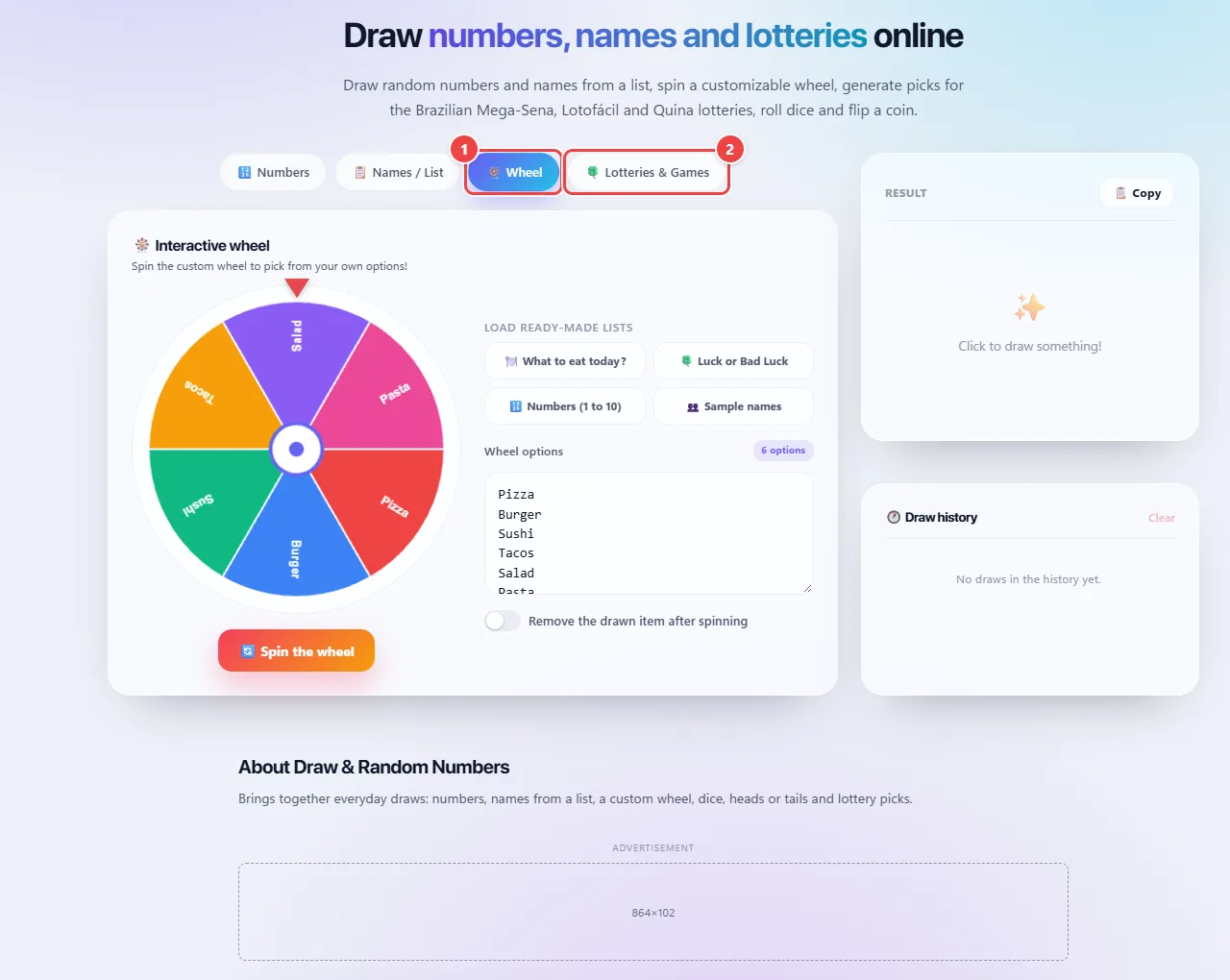
- Point 1: On the Wheel tab, set the options that appear on the wheel.
- Point 2: In Lotteries & Games, generate guesses, roll dice or flip a coin. Each result is independent.
Result: A quick, visual decision, without any dispute.
Tips for a better result
- In public draws, record the screen or show the full list beforehand, for transparency.
- Review the list before drawing: duplicates and blank lines change the odds.
- For dice and coins, repeat the draw as many times as you need.
Limits, and when this is not the best option
- The browser’s generator is fine for games and informal draws; it is not a cryptographic or auditable generator.
- Lottery picks are random and do not improve your chances of winning; the games offered are Brazilian lotteries.
- Commercial promotions have their own legal rules: check the regulations that apply where you are.
Frequently asked questions
- Is the draw really random?
- It uses the browser’s random number generator, which is fine for everyday use.
- Can I remove people who were already drawn?
- Yes, in list draws you can avoid repeats.
- Can I draw numbers without repeats?
- Yes. By default numbers do not repeat, and there is an option to allow repeats.
- Is the participant list sent anywhere?
- No. The draw happens in your browser.